Anydesk
AnyDesk, a fast remote access to computers

Safe & Secure
WinMTR is a free, open-source diagnostic tool used for efficiently analyzing network connections, facilitating a straightforward process of monitoring and troubleshooting connectivity issues. For this purpose, users need to enter the host name or the destination IP address and get a quick analysis between the two points.
The app offers a quick combo of Ping and Traceroute commands for easily testing traffic between the local machine and the host. It offers results in HTML or .txt format, proving the best utility for users who are seeking a strong way of identifying latency, packet loss, or routing problems as well.
WinMTR, developed by Rare Ideas, falls under System Utilities and is free software, specifically designed for the Windows operating system. It helps to diagnose network issues, such as slow connections, data transmission problems, and so on, and provides results in real-time to enable users to keep an eye on network performance.
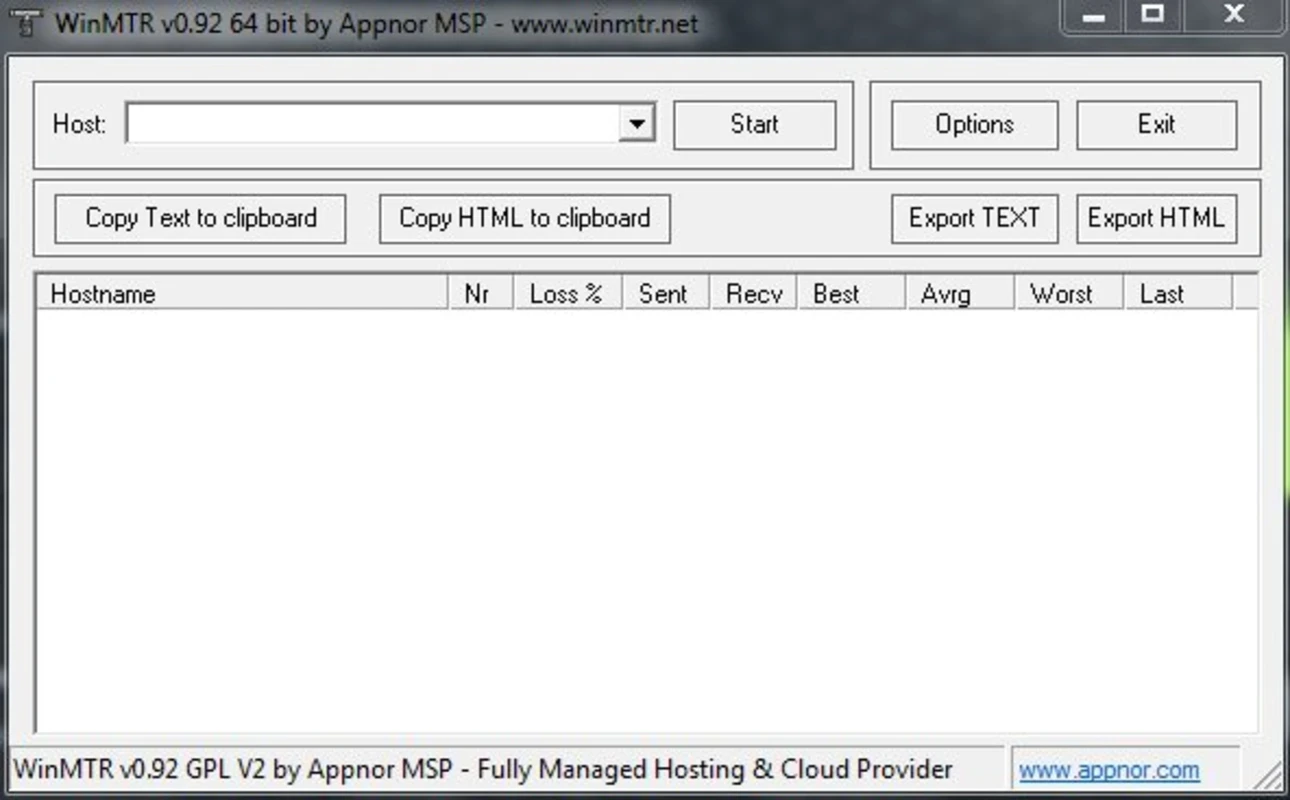
The app pinpoints the exact network error location, collecting data on both packets in various scenarios, such as standard, best, average, worst, and last round-trip times. Moreover, you can use the results for further analysis, documentation, or technical reporting by sharing or exporting them.
The app offers real-time information about all types of servers or network devices that you encounter while routing. So, you will find response times and loss percentage updates that make it possible to easily understand the changes in connection quality, instead of spotting them separately or using one-off ping and traceroute commands.
It is the best solution to investigate slow connections or unstable services, working in different scenarios, such as network administration, IT departments, and other technical fields. It offers a simple interface, equally reliable for both less experienced and power users, but you need some networking knowledge to understand the hop-by-hop figures, as there aren’t any graphs or other visual aids.
The powerful tool offers a straightforward solution to detect connectivity issues, as it precisely diagnoses network performance. It features a stunning combination of ping and traceroute to manage network connection issues. The lack of advanced visualization features doesn’t dishearten users, as the lightweight design, accuracy, and simplicity make the app one of the trusted, time-efficient, and essential diagnostic tools, offering consistent and effective troubleshooting tasks.
The app supports .text and HTML formats for copying or exporting the results, as it is useful for informing the support team about giving evidence of latency or packet loss. It also reliably maintains the outcomes, preserving a record for documentation. If you want detailed charts, polished summaries, or richer analysis, you have to go for another better alternative, as the app has limited functionality, with Windows-only availability.
The support for IPv4 and IPv6 offers stunning troubleshooting for network connectivity, and also seamless customization, such as support for multiple export formats and probe intervals to offer detailed testing and reporting. The integration with real-time updates and sending of ICMP ECHO requests repeatedly ensures detailed data on packet behavior and network performance. It reliably simplifies the identification of issues, displaying hostname, packet loss, and latency for each hop with metrics.
The app's user-friendly graphical user interface allows users to directly probe by entering a target host and starting the test. The real-time result updates help to simplify troubleshooting for network administrators. In this way, they can quickly adjust and deeply investigate the routing inconsistencies.
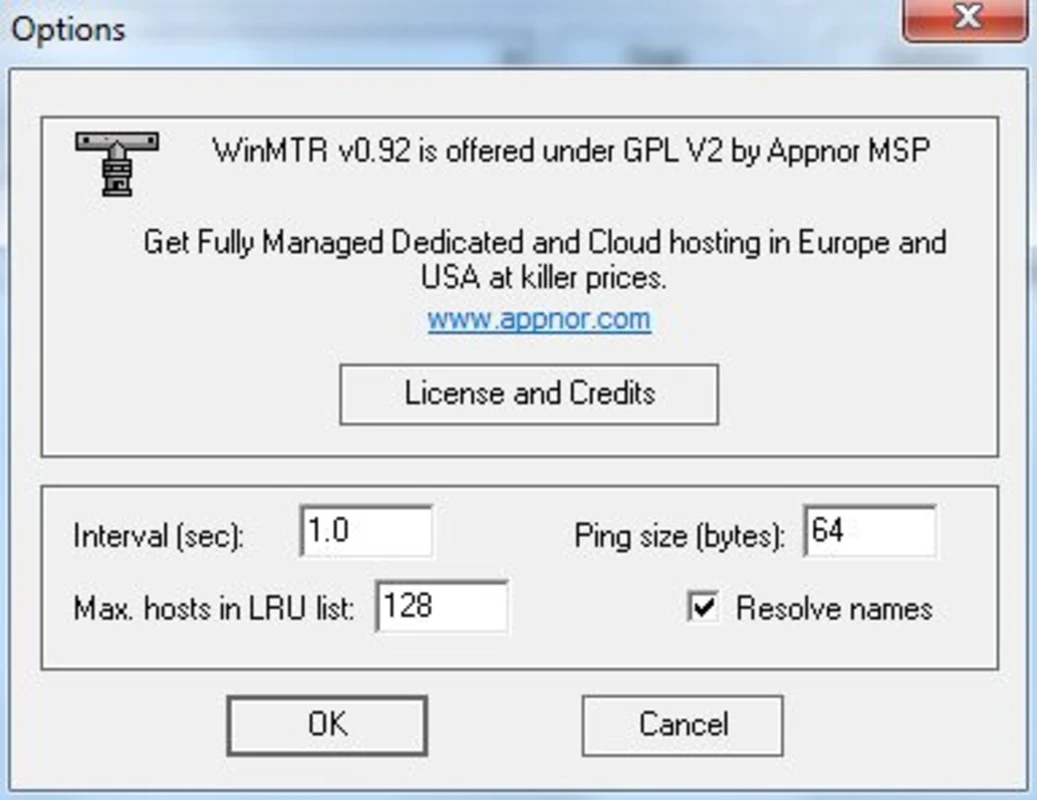
Portable capability enables users to run the app with a single click on your device, avoiding a traditional installation. You can also save the .exe file of WinMTR to a USB flash disk and run it on any device as well. The well-structured layout is available, allowing users to enter the name of a host or an IP address; it also offers settings configuration, such as refresh rate, maximum hosts in the URL list, and ping size. It also helps to resolve names.
The app with lightweight utility consumes minimal CPU and RAM, without putting a strain on system performance. It doesn’t bury the numbers in dashboards; instead, it is directly focused on them. It offers a good refresh rate without interrupting user activity, even minimizing to the taskbar. It operates smoothly on newer operating systems.
Pros
Cons

AnyDesk, a fast remote access to computers

Accelerated Downloading with Internet Download Manager (IDM)

SHAREit for PC is the best option for a P2P file-sharing process without using Wi-Fi.

ShareMe for PC, a freeware and streamlined file-sharing app

uTorrent, a powerful, lightweight, and fastest P2P file-sharing software

Xender for PC, an effective and convenient file transfer utility